

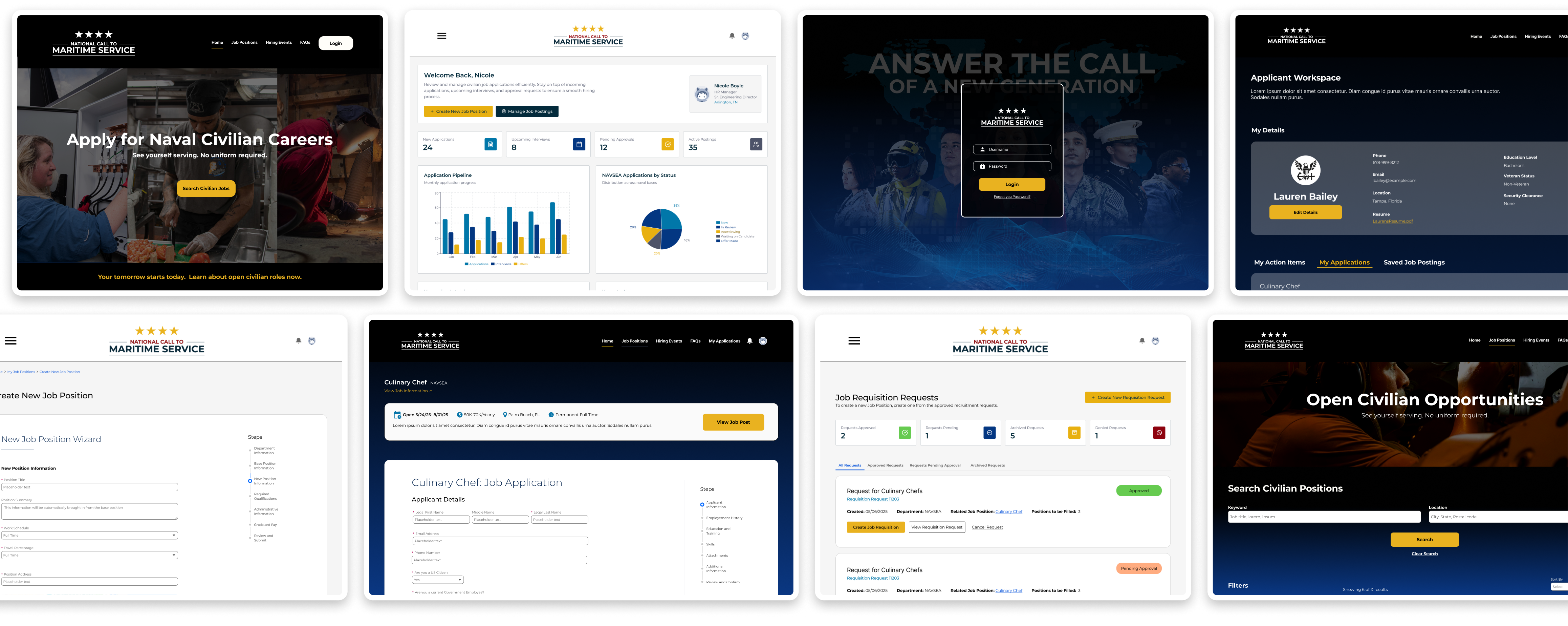
HR processes are the backbone of building strong teams across all organizations and all industries, and the US Navy is no different. For this project, our team was tasked for helping re-imagine the Civilian Recruiting process for the Navy. From the user experience of the applicant to the hiring managers, HR professionals, and everyone else involved in the backend process, we needed to make sure we could create a seamless and modernized experience on the Salesforce platform.
The Manpower and Personnel (N1) Department of the U.S Navy needed a complete modernization of their HR systems, specifically within their efforts to recruit civilians for civilian roles within Naval Commands, after many failed attempts from previous contractors. Multiple commands were using different systems and processes, causing an innefficient and disjointed experience.
The Salesforce team at Pantheon Data needed to modernize and streamline the HR processes for hiring civilian talent across commands. Using the Salesforce platform, the team's goal was to discover, design, and implement an automated and connected experience for applicants, hiring managers, and everyone apart of the HR processes that needed to onboard new talent- all based on research and client input.
The outcome of this project was a unified experience on the Salesforce platform for hiring civilian talent across The U.S Navy's various commands. Through research, discovery, and observation, a modern experience for applicants, managers, and Naval command HR was designed using Salesforce Experience Cloud and the internal Salesforce Platform and it's many tools.
Ever wonder what it takes for an organization that is over 200 years old with over 400,000 employees to run efficiently? The answer to that can most likely be found within the HR departments across the organization. MyNavyHR is an HR entity within the U.S Navy dedicated to attracting, developing, and managing talent that keeps the Navy going strong through supporting Sailors and their families. While sailors and ranked personnel are at the front lines- in many instances non-uniformed employees are overseeing and completing important tasks and processes crucial to the Navy and its Sailors. In this project, we'll explore how we were tasked to modernize what it takes to find these dedicated civilians.
During this project, I took on the role of Lead UX/UI Designer. As lead designer, I collaborated with all the members of the cross-functional Salesforce implementation team members across two different scrum teams.
I got to translate what we were able to learn about the client and their needs through research and observation, into visuals that continue help guide the team in defining new requirements, finding gaps, creating new user stories, and communicating our plans with the client.

I worked with the entire team to clearly define how we'd approach the UX/UI Design process. This included clearly defining the steps in our design methodology and the tools we could use at each step. Each person on the team was responsible for a part of the design process.
As the lead designer working across two substantial teams to make this Civilian Recruting modernization project come to life, it was important early on to establish what our UX/UI goals for the team were. We set out to achieve the following:
.png)
With these goals defined, across the two teams we defined the Agile Methodology practices we would be following which included 2 week sprints and constant checks and balances as the project progressed.
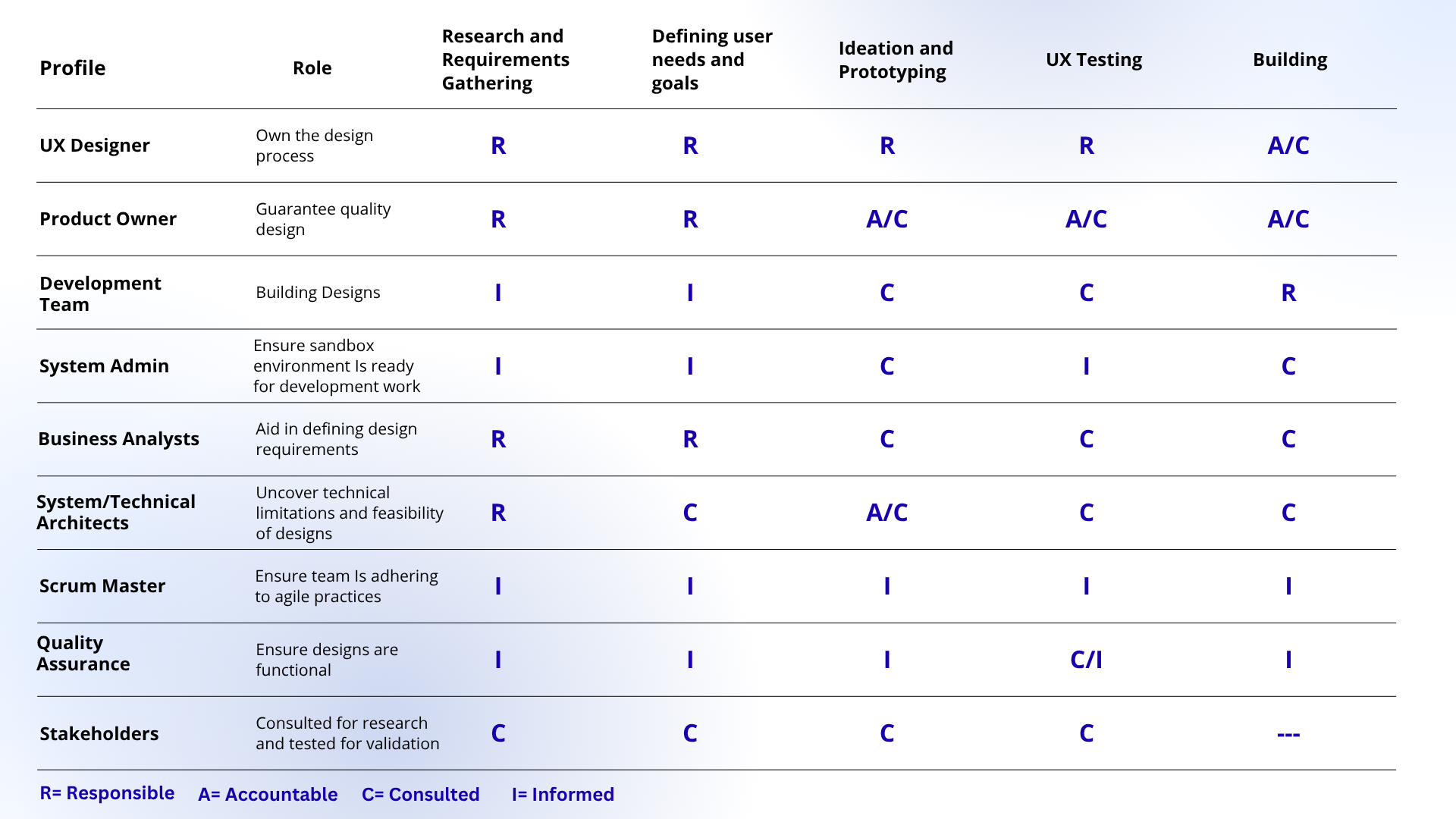
As lead designer, I made sure to connect with the business analysts to understand and aid in gathering requirements, from there I planned to begin ideation on process flows, click-paths, and what it could look like. Next in that process, I worked with the technical and system architects to ideate on possibilities in what ideations I had and exactly can be built within the platform. We then reviewed designs with stakeholders to get their feedback on design and process decisions. And with those confirmed and finalized designs, I helped define design requirements and assets within JIRA tickets for our developers. Below is a quick chart that helps illustrate what this iterative process generally looked like.
.png)
To uncover N1's extensive HR processes with MyNavyHR, our clients had to be heavily involved every step of the way. The team decided the best methodology to gather requirements was to conduct recurring discovery calls with our client.
During each session, our team came with questions to help our clients uncover what their processes were and where there would be room for modernization and innovation. Between both the business analysts and myself on the design side, we led the various client discoveries that gave us insight to the goals, needs, and pain points of current users of MyNavyHR's disparate systems for civilian recruiting. While having these chats across various naval commands, they gave us a window to seeing the established HR Processes and current UI's apart of this civilian recruiting process. These uncovered artifacts would be important to incorporate in this newly designed system that would ultimately allow for some semblance of familiarity while dynamically improving the seamlessness and conenctivity of the overall civilian recruitment process.
.png)
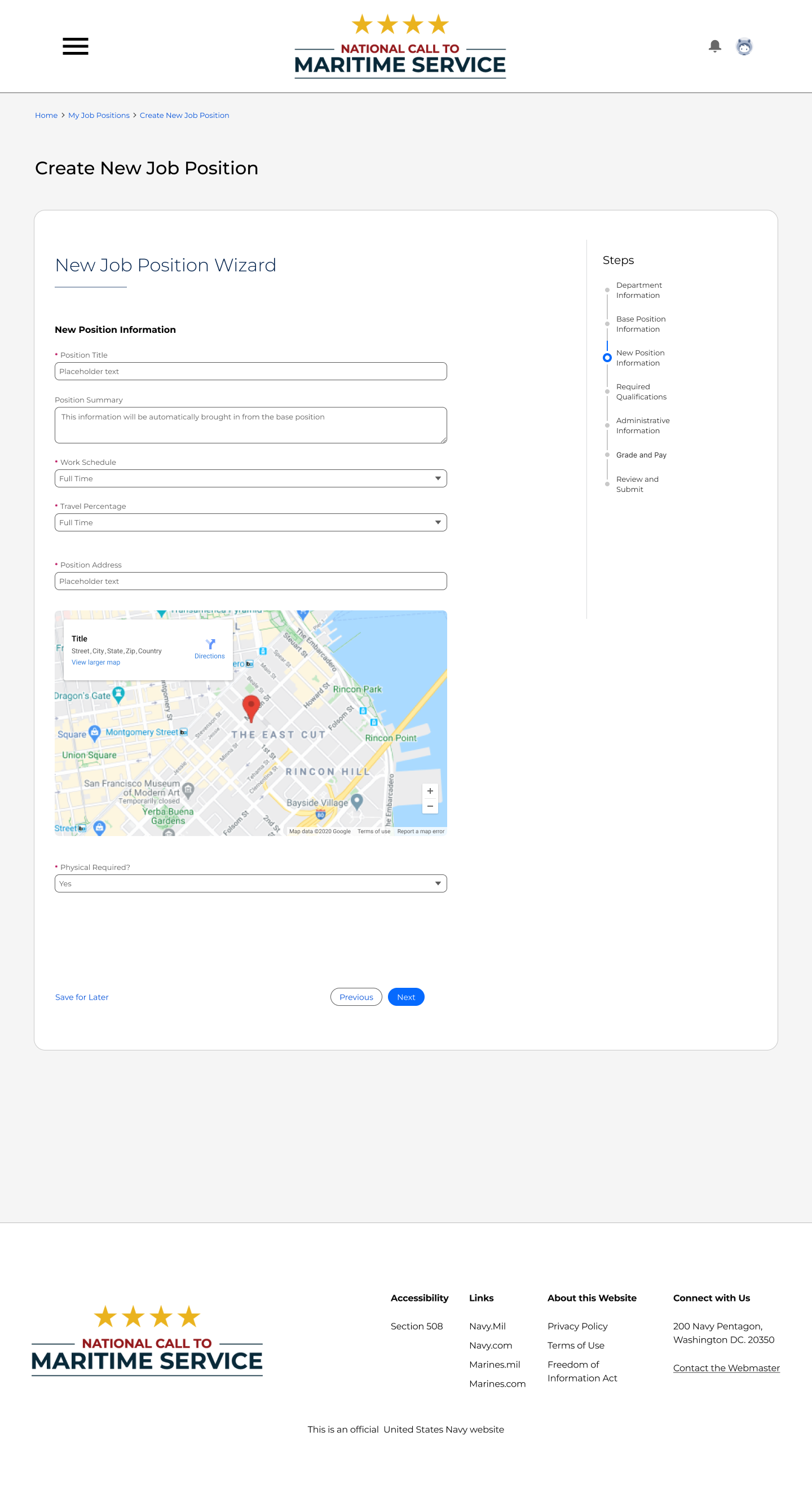
When creating job positions, commands needed to have this information ready to fill out and get approved before job requisitions can be associated
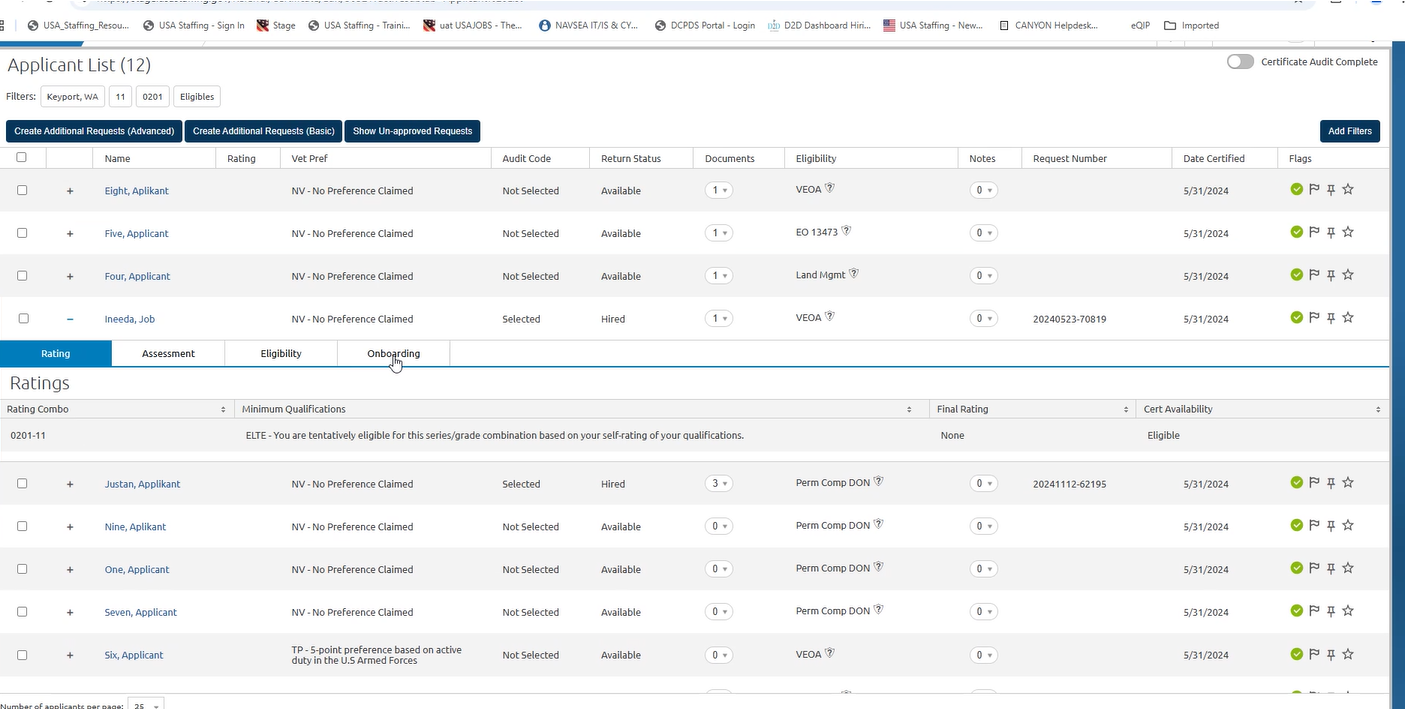
This was an example shown of what some command hiring managers and HR staff see when using USA Staffing to keep track of applicants for certain roles.

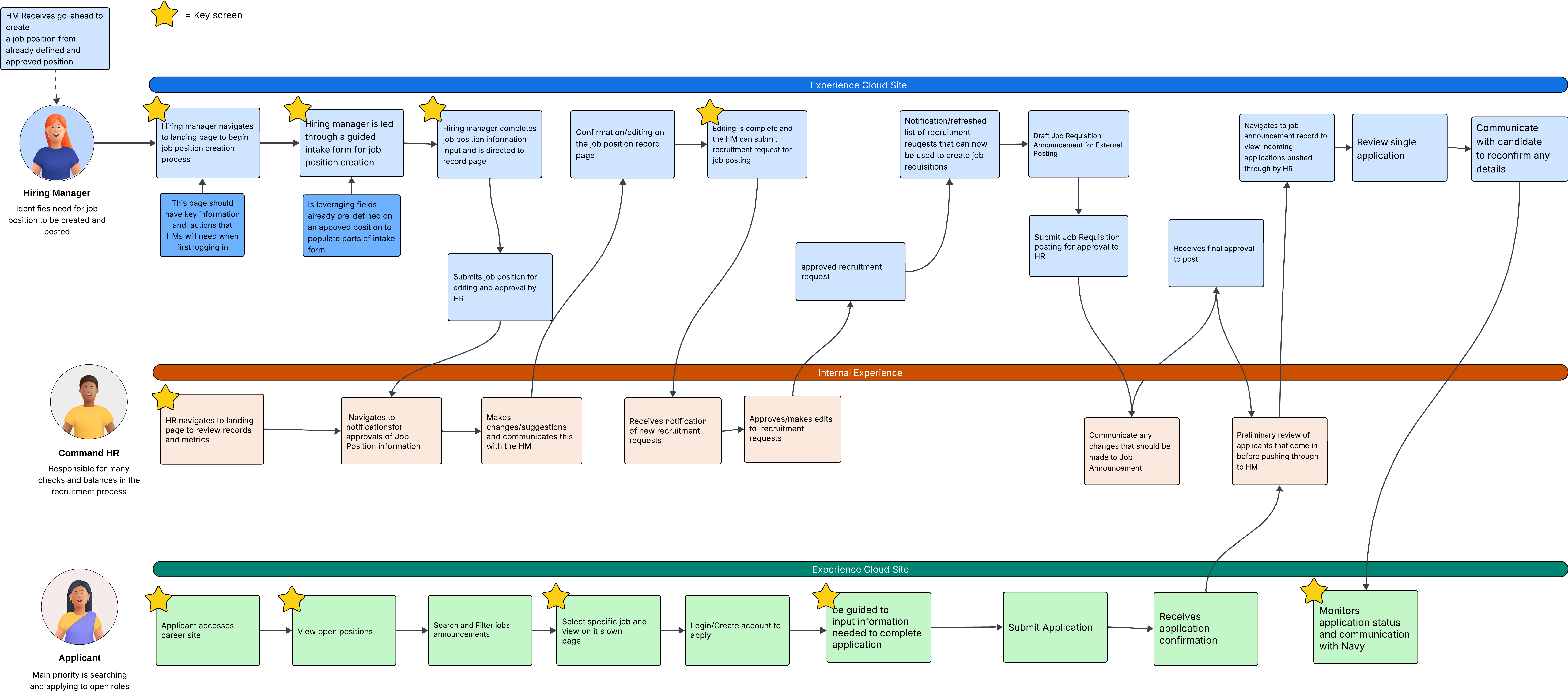
Based on the artifacts we got access to as well as what was determined during our client discovery sessions, the team began to paint a picture of what functionalities and process flows we'd follow and how it would be split up between our two scrum teams.

.png)
Once we were able to understand the overall system processes required for the HR teams across different naval commands, we wanted to dive deeper into understand the users.
In order to dive deeper, it was necessary to understand the people that would be apart of the civilian recruiting process. We observed the roles and titles of those on the client side that we spoke with and connected the dots of who all would be interacting with this new system.
We found that this civilian recruiting process included everyone from the applicant to the hiring manager to HR and other administrative folks interacting with the system and getting that applicant through the hiring process.
.png)
In addition to these main users of the system, there were multiple other roles uncovered that would function within this civilian recruiting system as well. The individuals included people like management administrative support, recruiters, and backend system administrators which we made sure to think of in the user experience we were creating.
Based on the teams research and observation gained from client discovery sessions as well as input from our stakeholders, I worked to help draft the different roles that are estasblished across this recruiting process, what jobs they need done, and what Salesforce licenses would even be needed to accomplish their goals.
.png)
From the process maps that were created for different each major functionality being created in this enterprise application, the main users of this system across commands were clearly defined.
Based on the core users that the application would be serving, the team ideated on the different experiences needed to encompass these functionalities for these users.
.png)
As we saw with the previous table of personas and jobs to be done, there were some supporting personas in this process that weren't necessarily similar across all commands or needed at every step. With that, we decided to design for the primary user flow.
For the civilian recruiting project, the team planned to use the new Talent Recruitment Management SKU within the Public Sector Solutions Salesforce organization. This SKU came with a data-model, Omniscripts, Experience Cloud templates and more that would aid in experiences centered around attracting and obtaining talent for an organization.
It was important that we decided what objects we wanted to use out-of-the-box, repurpose, customize, or create new in order to achieve the complex nature of the naval civilian recruiting process across different Naval Commands.
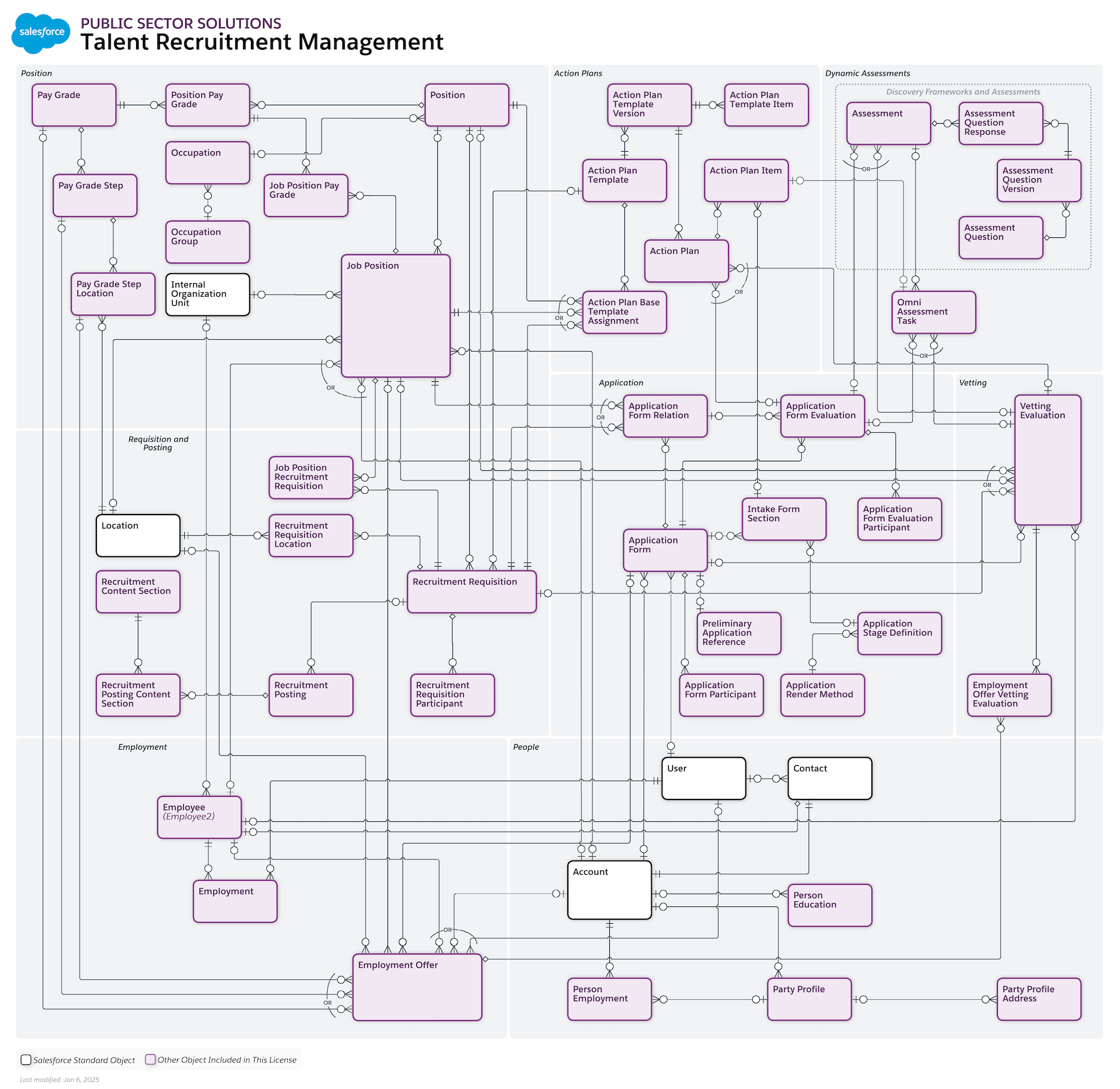
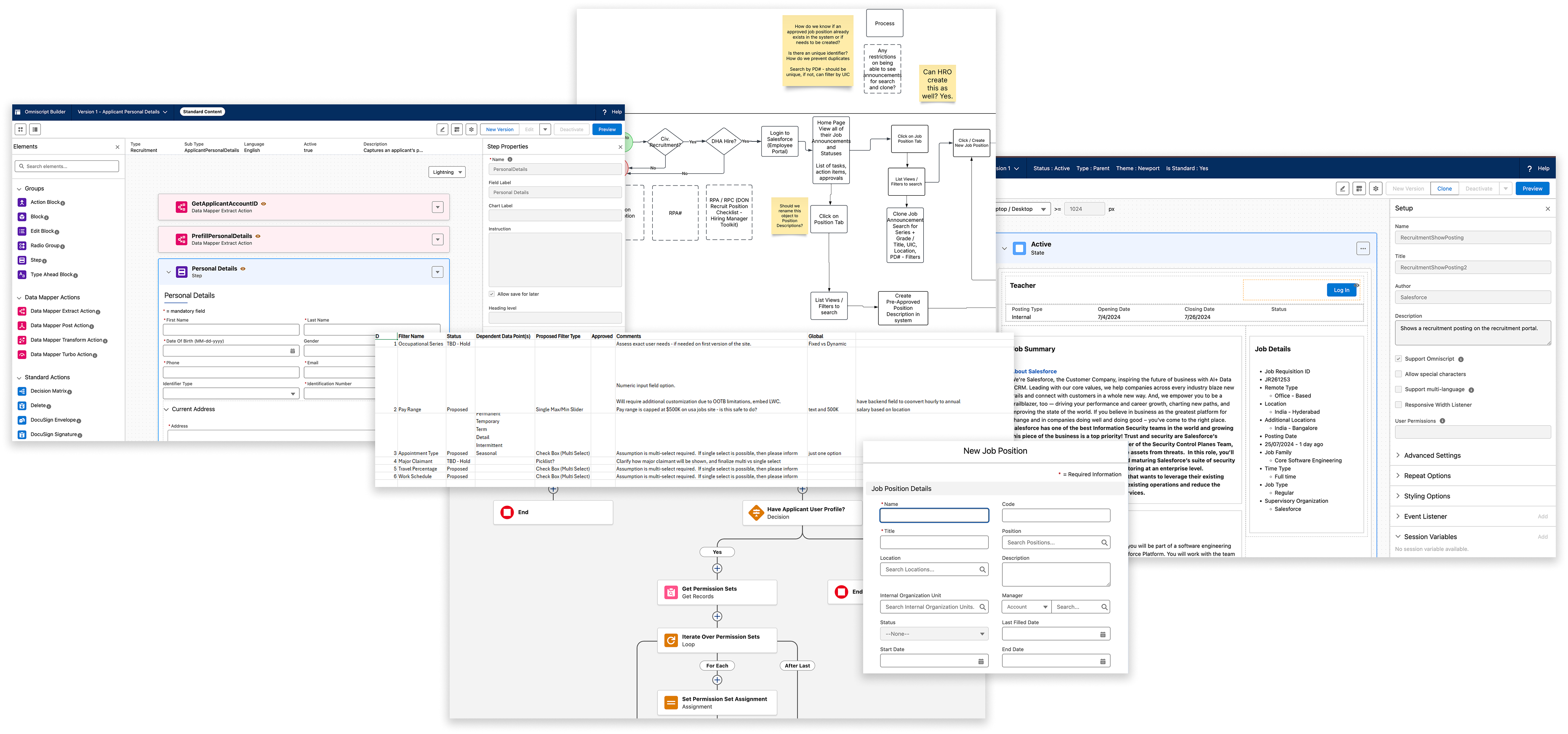
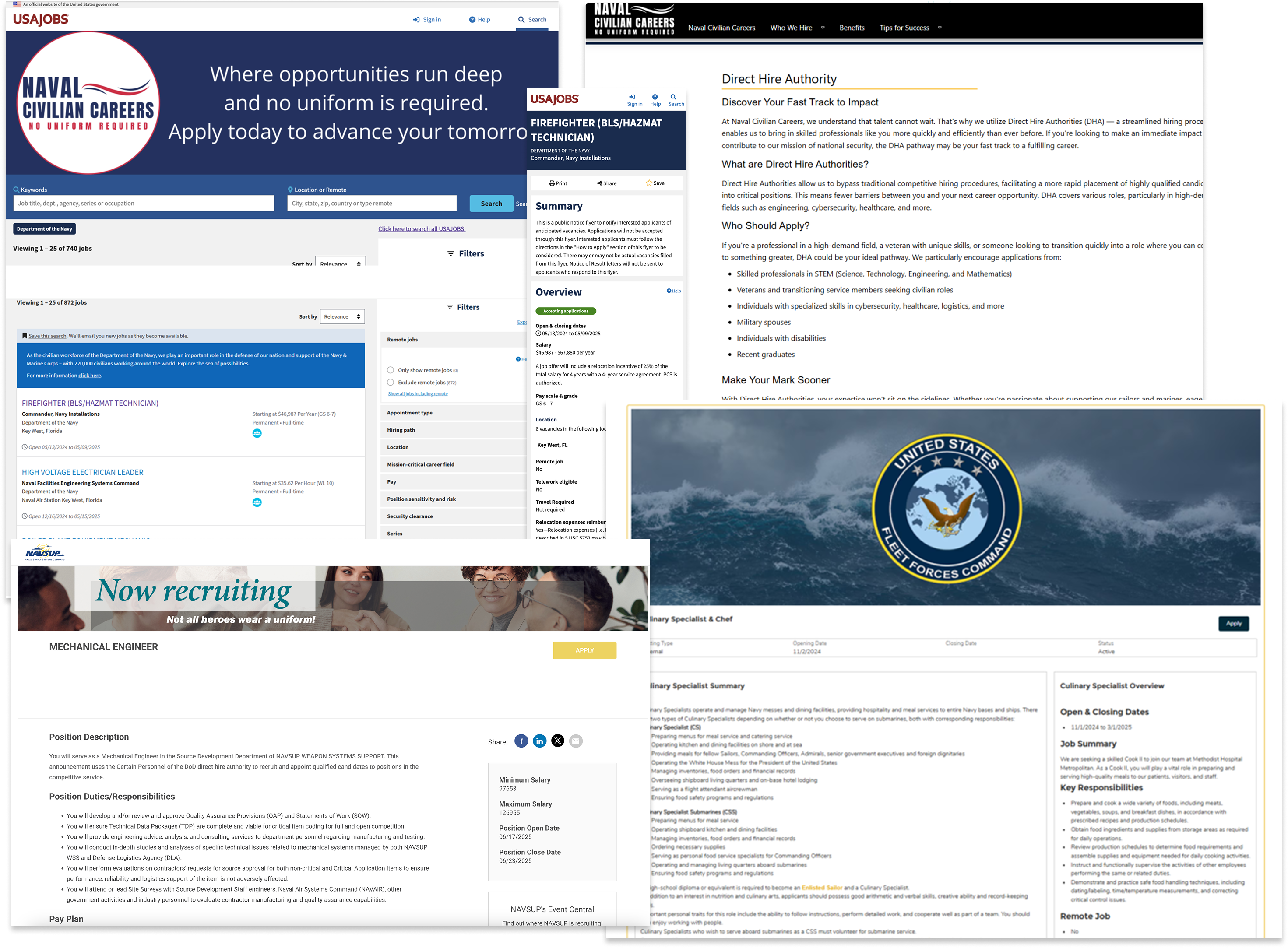
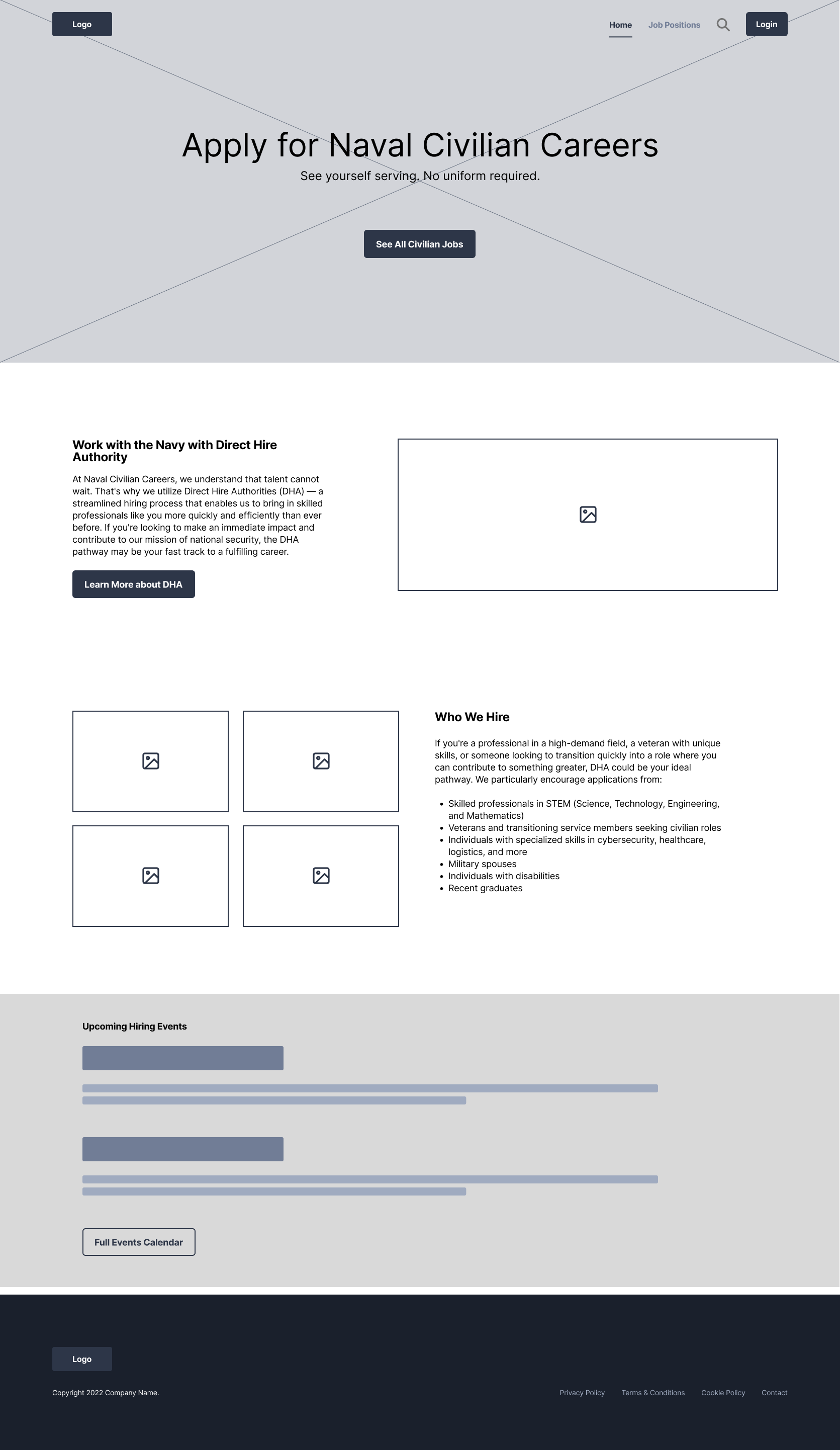
Ideation for this system looked like many things. Being a complex system that would have multiple parts working together across personas for a complete experience, as designer, ideation was based on the clients current systems being used, USA Jobs where the Naval Civilian Careers job postings lived, the active Naval Civilian Careers site (which legally could only host information and not job postings), and the information unearthed during our discovery sessions that gave us an idea of the call-to-actions and information throughout the career site that would be most important.

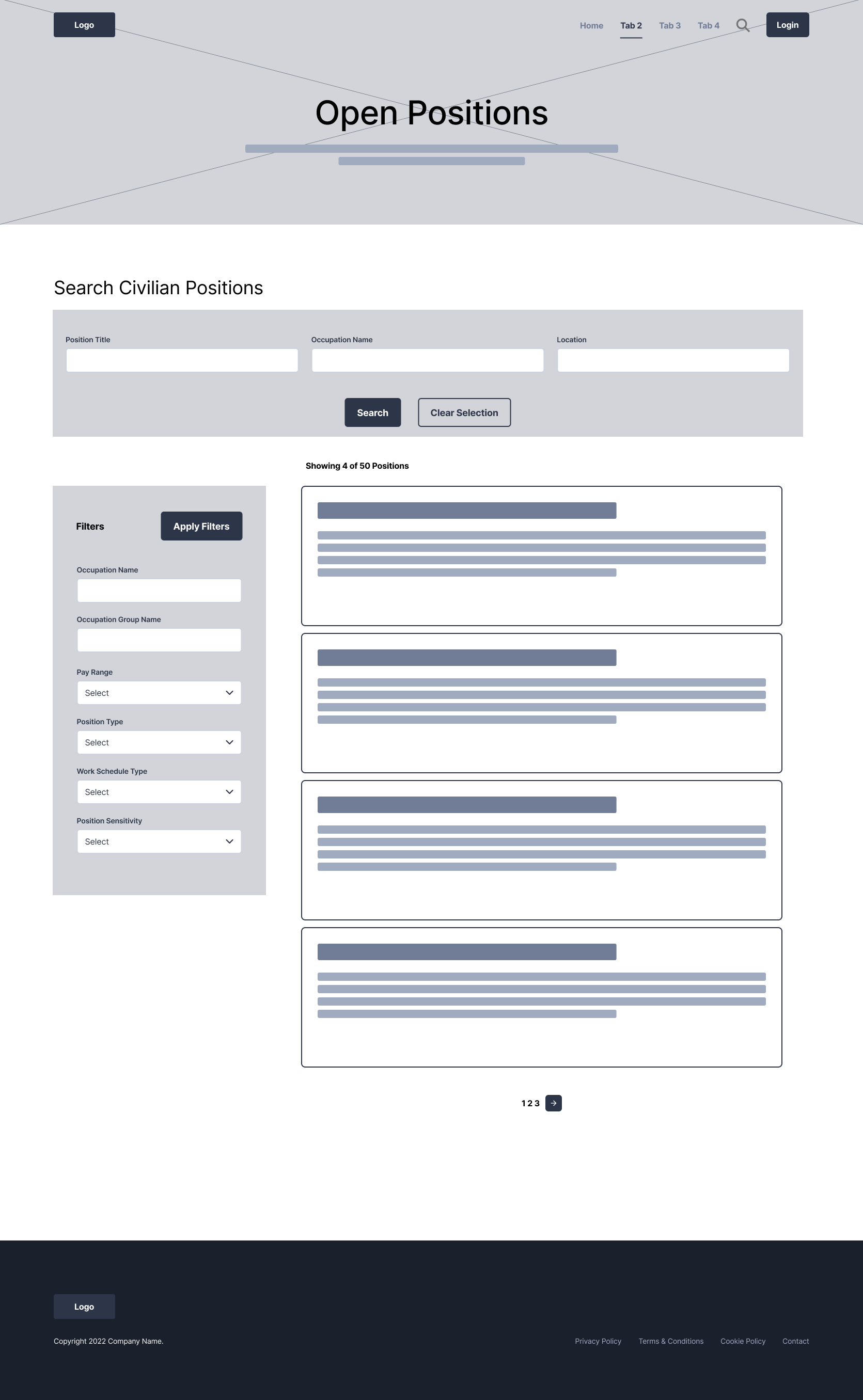
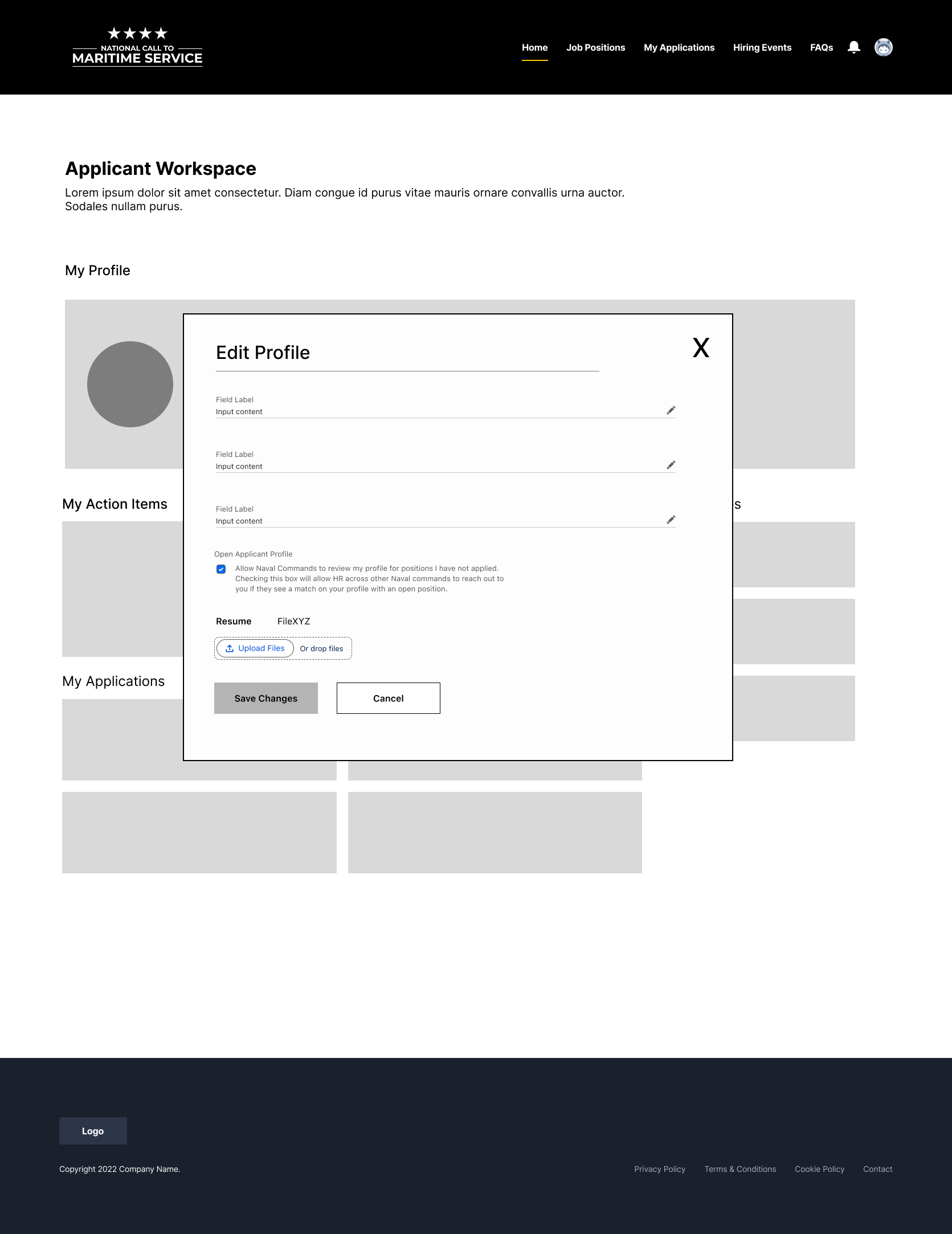
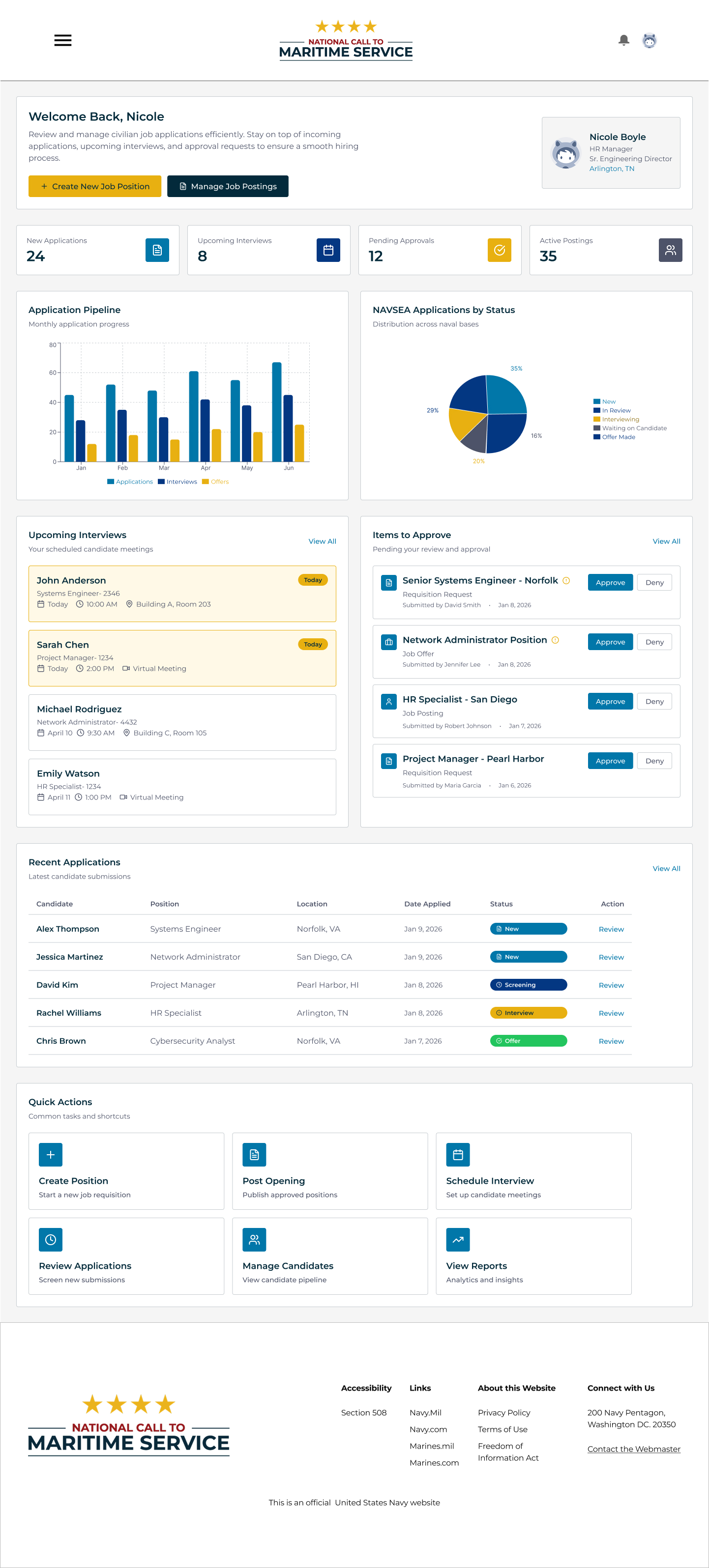
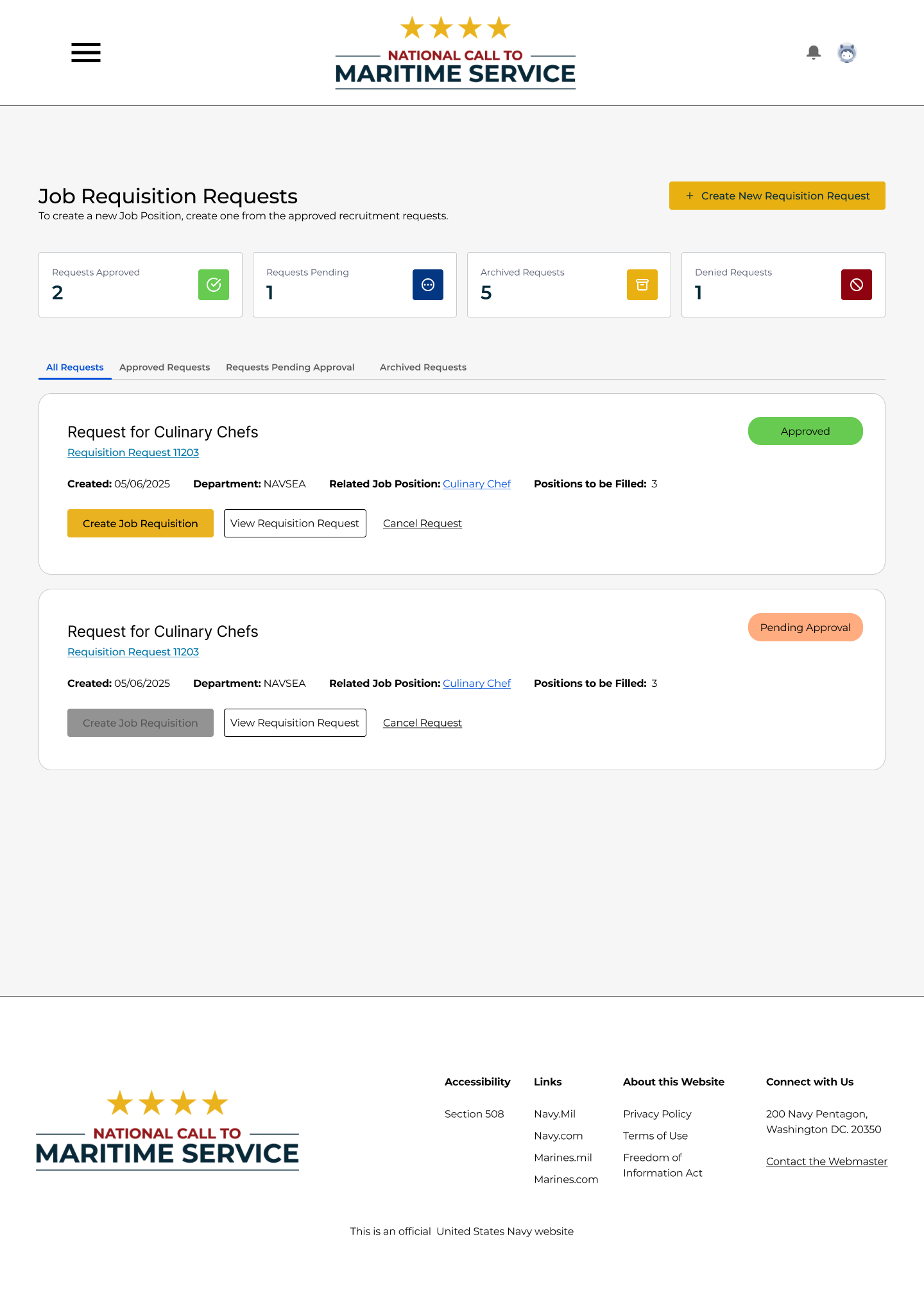
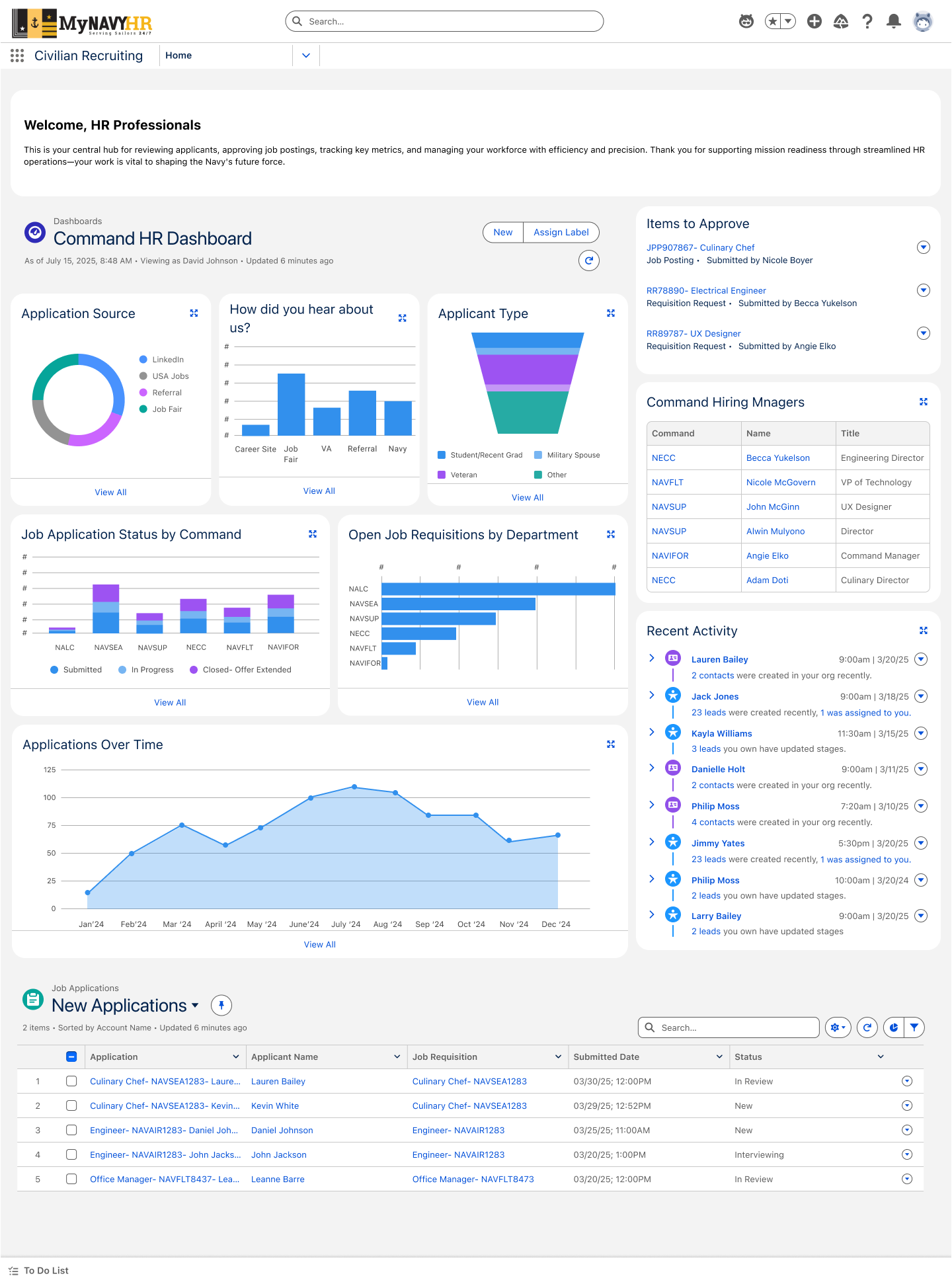
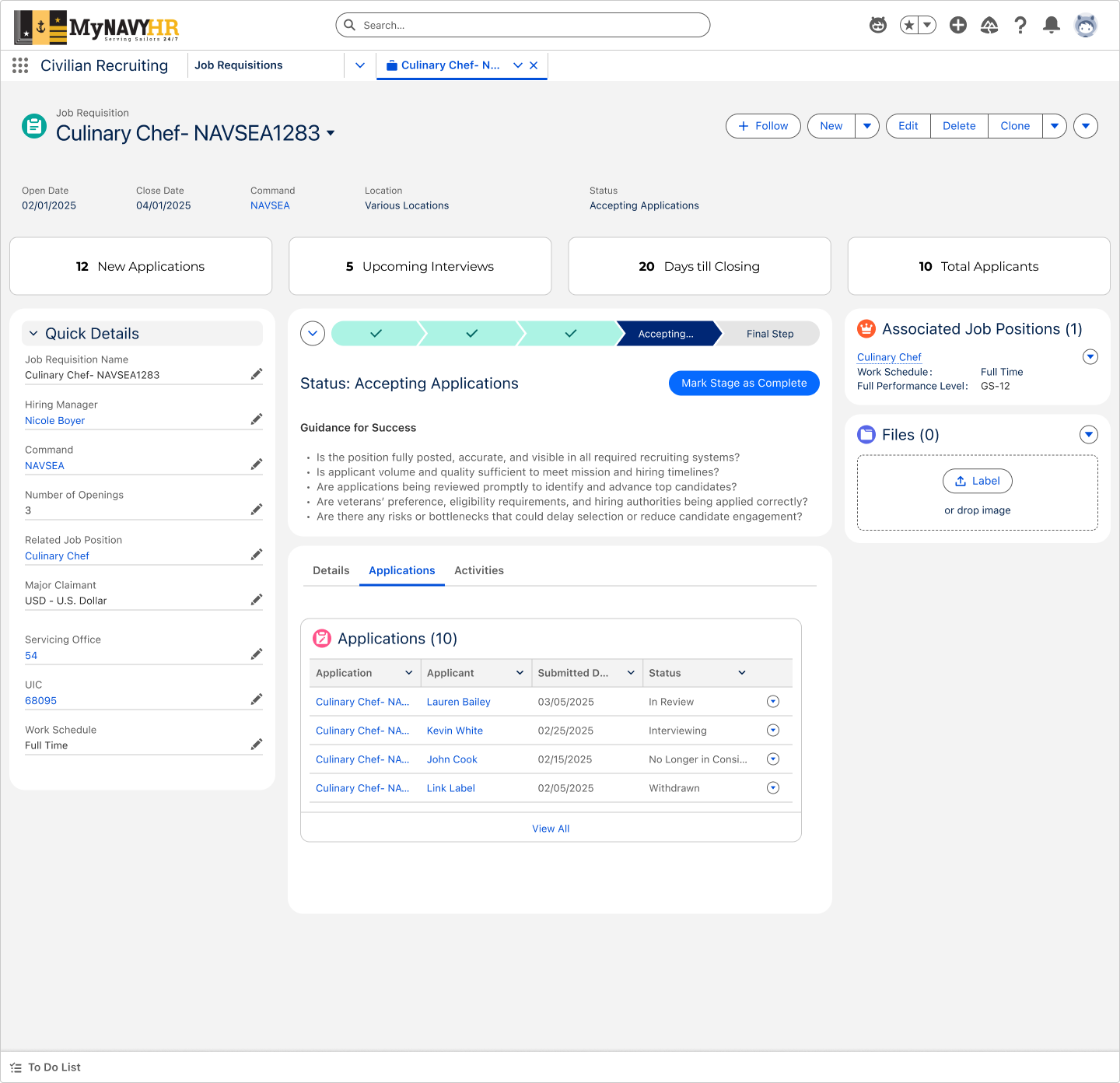
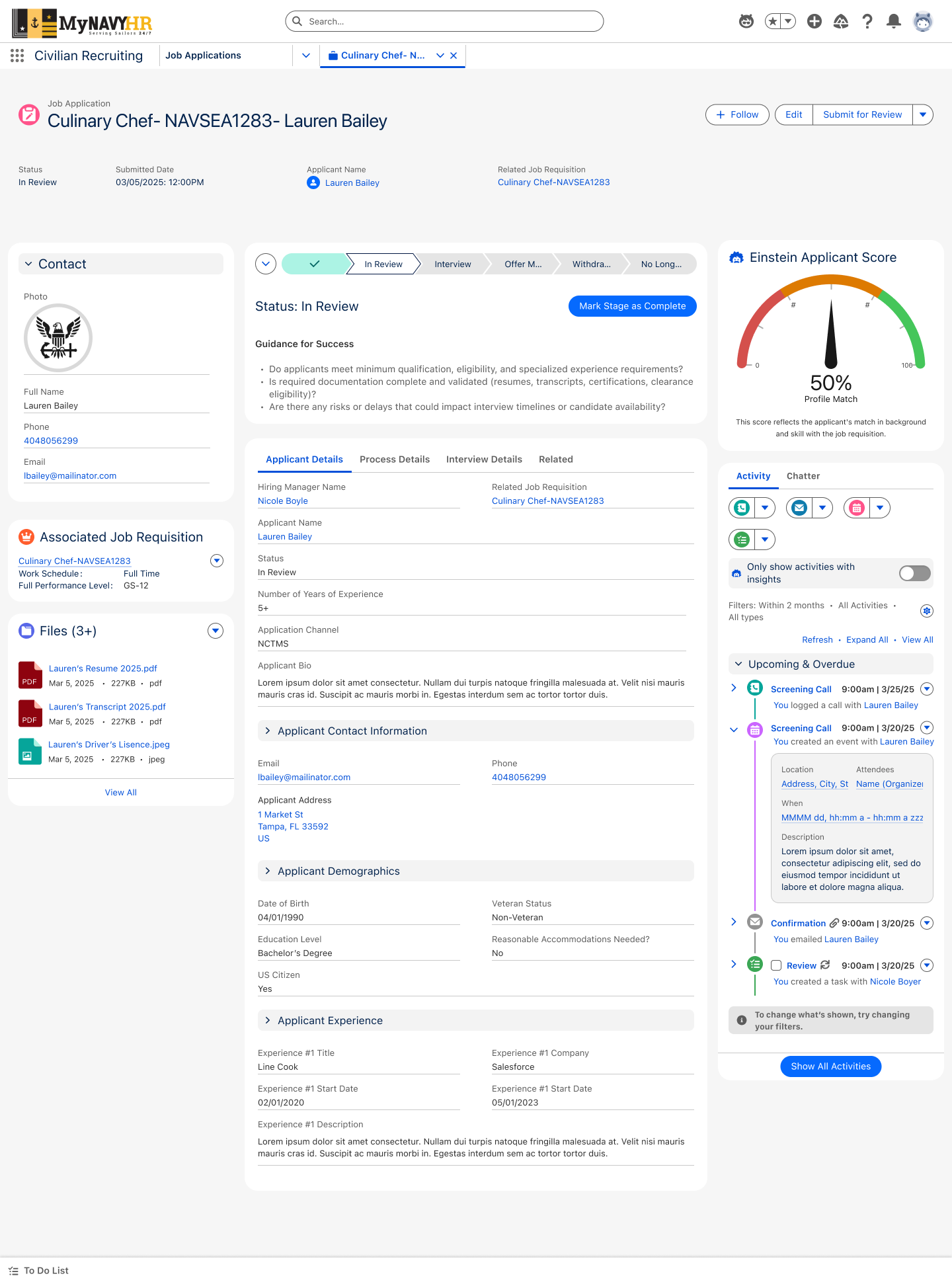
When ideating on the experience for the hiring manager portal and HR's internal experience, the most important thing to keep in mind was the ease of flow and access to the many datapoints that were being shared and communicated between the two. These two had multiple back and forth processes that worked hand in hand to verify and push out job postings and subsequently collect and monitor applications and applicant information as it came in. Because of this, seamlessness and ease on both ends to fully connect the user flows was needed and thought about every step of the way during ideation.
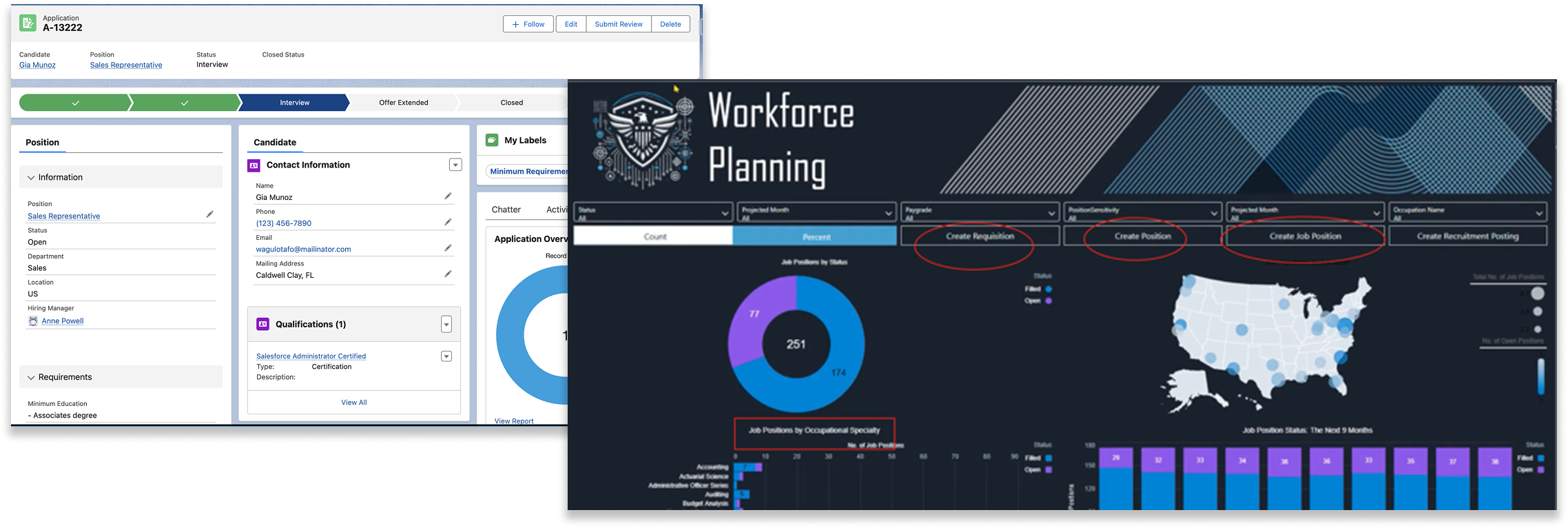
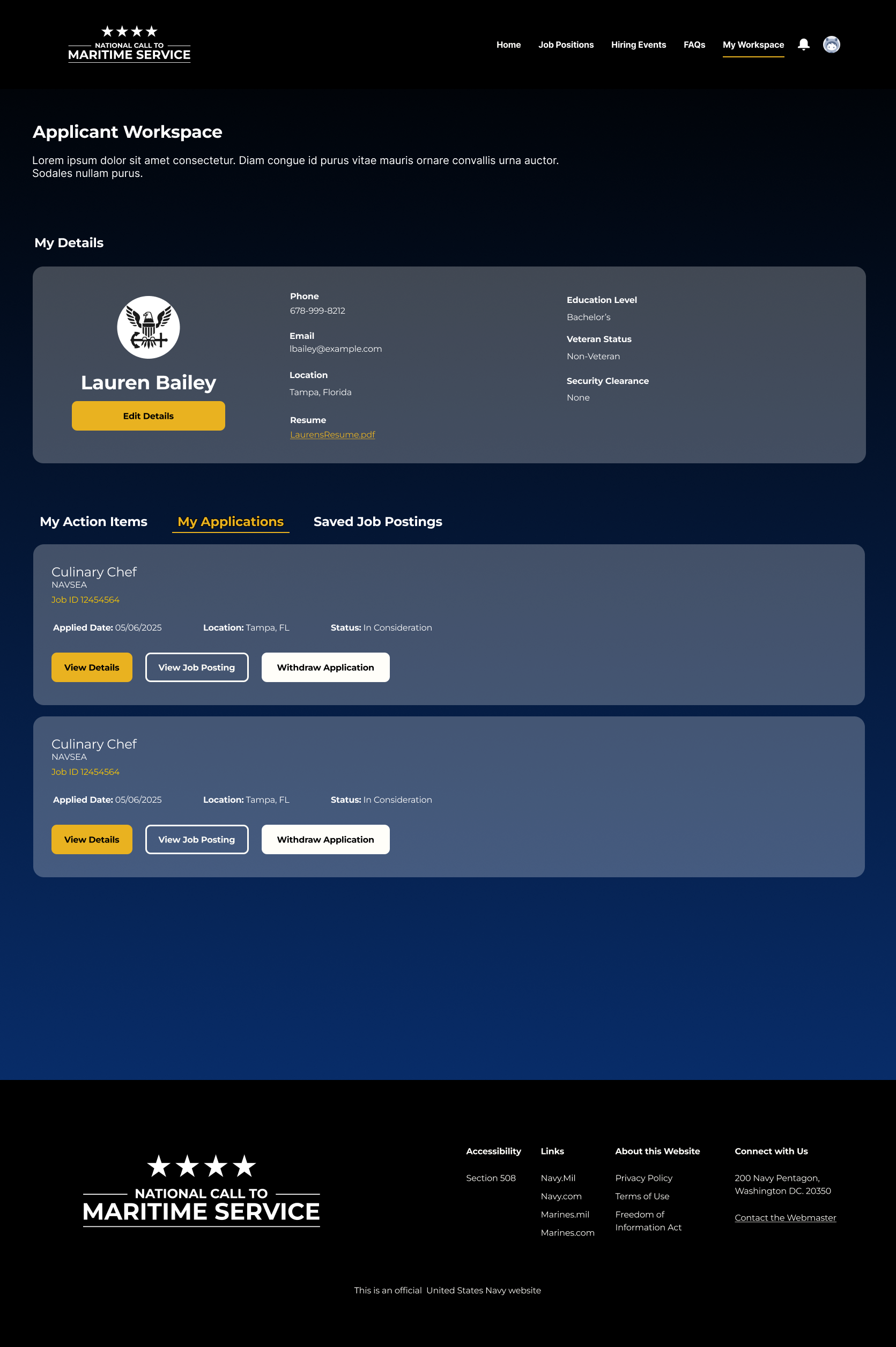
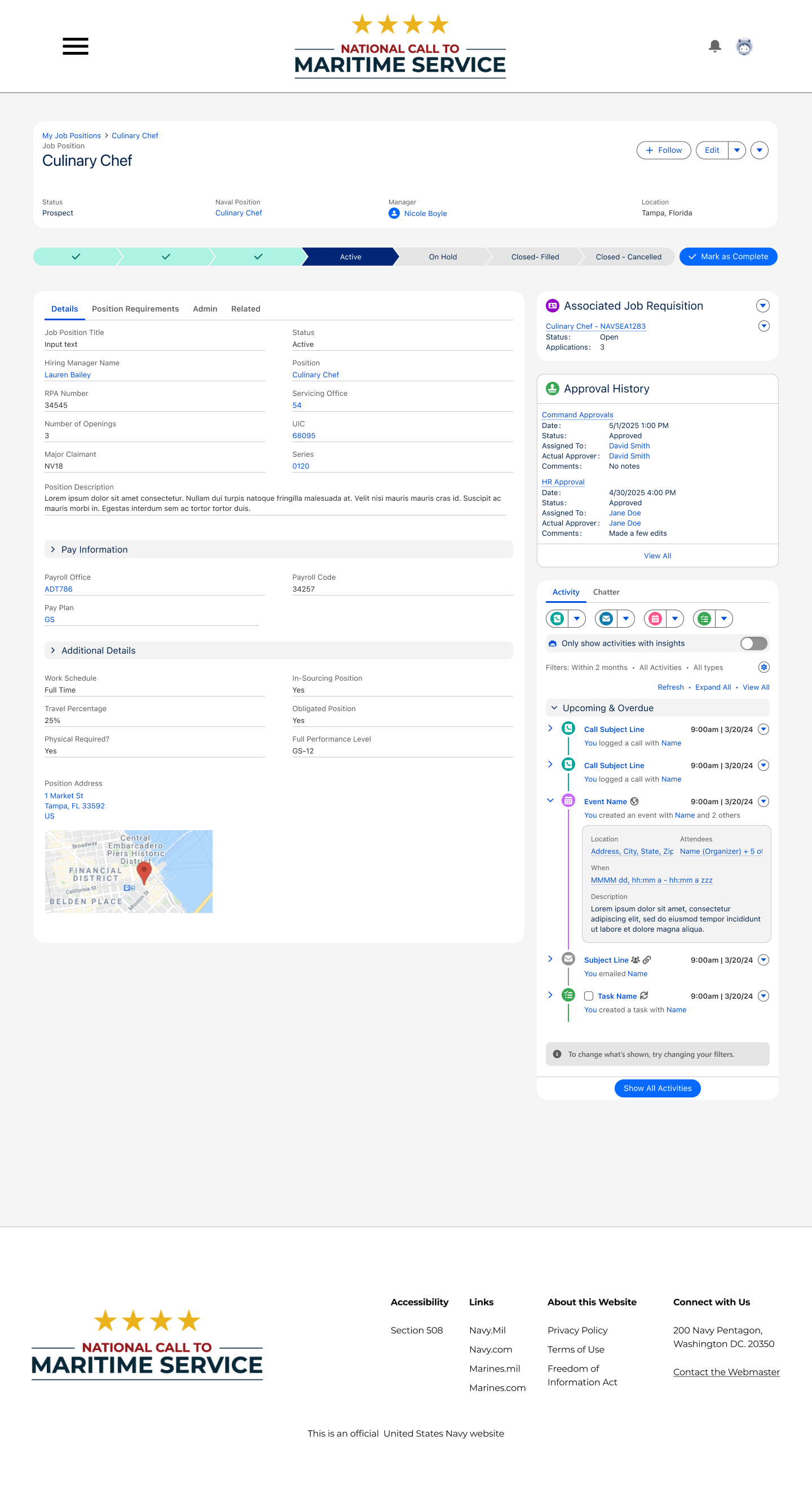
For the hiring manager, their click-path followed the main goals the client expressed- to create job positions and postings and view applicants to fill those positions. An experience that could exist within it's own portal but still have that extensive CRM functionality that Salesforce provides was necessary.
%20UX%20Workspace%20-%20External.png)
.png)
When it came to the Talent Recruitment Management (TRM) so graciously given to the Salesforce Public Sector Solutions product, there were many great features that made the ideation process as well as build much easier to go about. However some challenges did arise when it came to what could and couldn't be done with the out-of-the-box solutions. In heavy collaboration with the technical architect team, we uncovered that there were some capabilities that would not work the way we'd hope to design for. For example, the Search, Filter, and sort capability that comes with the TRM product had some issues of not responsively translating to mobile the exact way we'd want without customization, limiting the use of type-ahead searching, among other issues.
Some of the TRM issues, we were able to move around by leveraging Omniscripts and Omnistudio Flexcards as opposed to custom component building. Because of this option, many of the designs are created with the usage of Flexcards (which have quite a bit of customization) in mind.
Initially, we had the constraint of not having full access to all of our client's information and systems because of the need for many of our team members to obtain security clearances beforehand. This eventually came, but did delay the start of a lot of our conversations.
In addition, the clients had a high number of data fields incorporated in their processes when creating and vetting Naval positions and postings. Because of this, we needed to work with them to reduce and consolidate so that record pages weren't abnormally long and hard for users to find information as well as allow Omnistudio processes to be concise. This wasn't always possible as some information in use was legally required so our work-around was to at least format the vast information in a way that wasn't overwhelming to the user during the filling out of a record or retrieval.
Our developers couldn't build many custom components without adding considerable amounts of time to the build, but could leverage quick CSS changes in the experience cloud site, handful of custom components built by the architects, and use of Omniscript and Flexcards where TRM fell short.


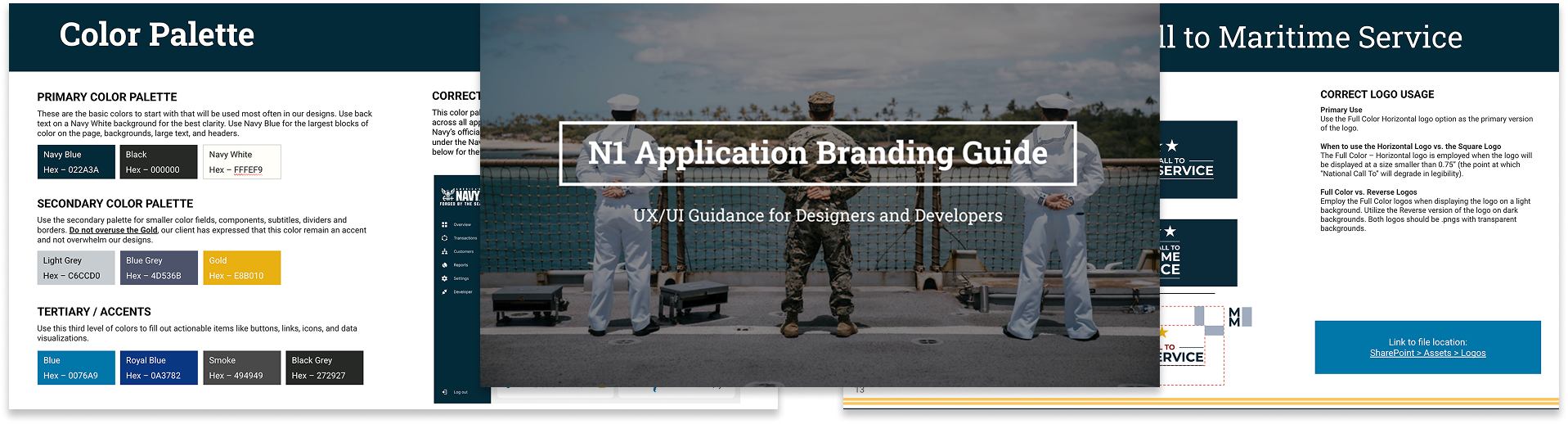
Here, I plan to talk about the feedback we got from clients as we began to build
* home page feedback
* feedback on search capabilities
* feedback on what to include/not include from RPC and things like that
Can also talk about the limitations of not having feedback after working on this after I didn't have access to communicate with the client anymore (contract ending)
* in this case- can make iterative decisions based on feedback that clients gave us early on, to help me further understand what their main concerns and priorities were to continue designing with those in-mind.
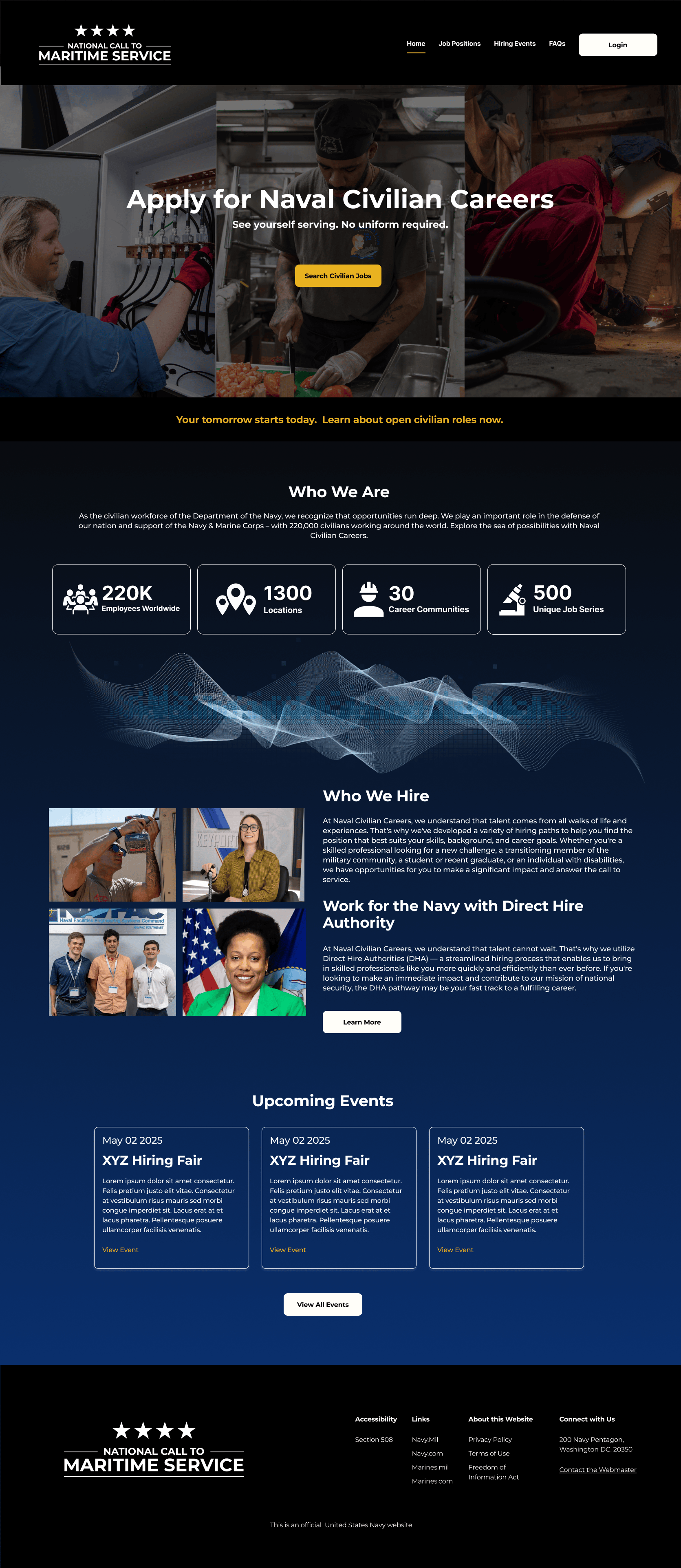
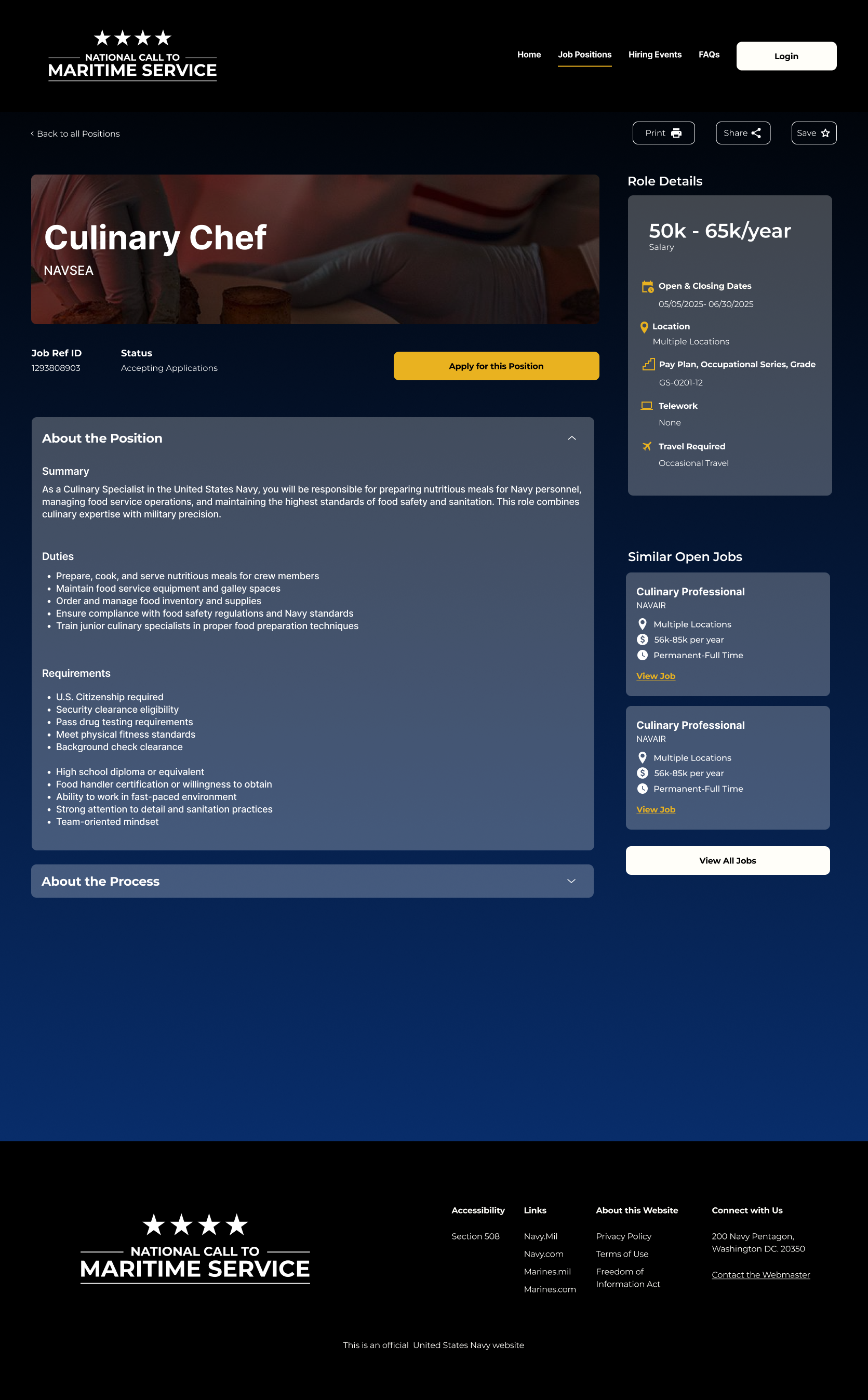
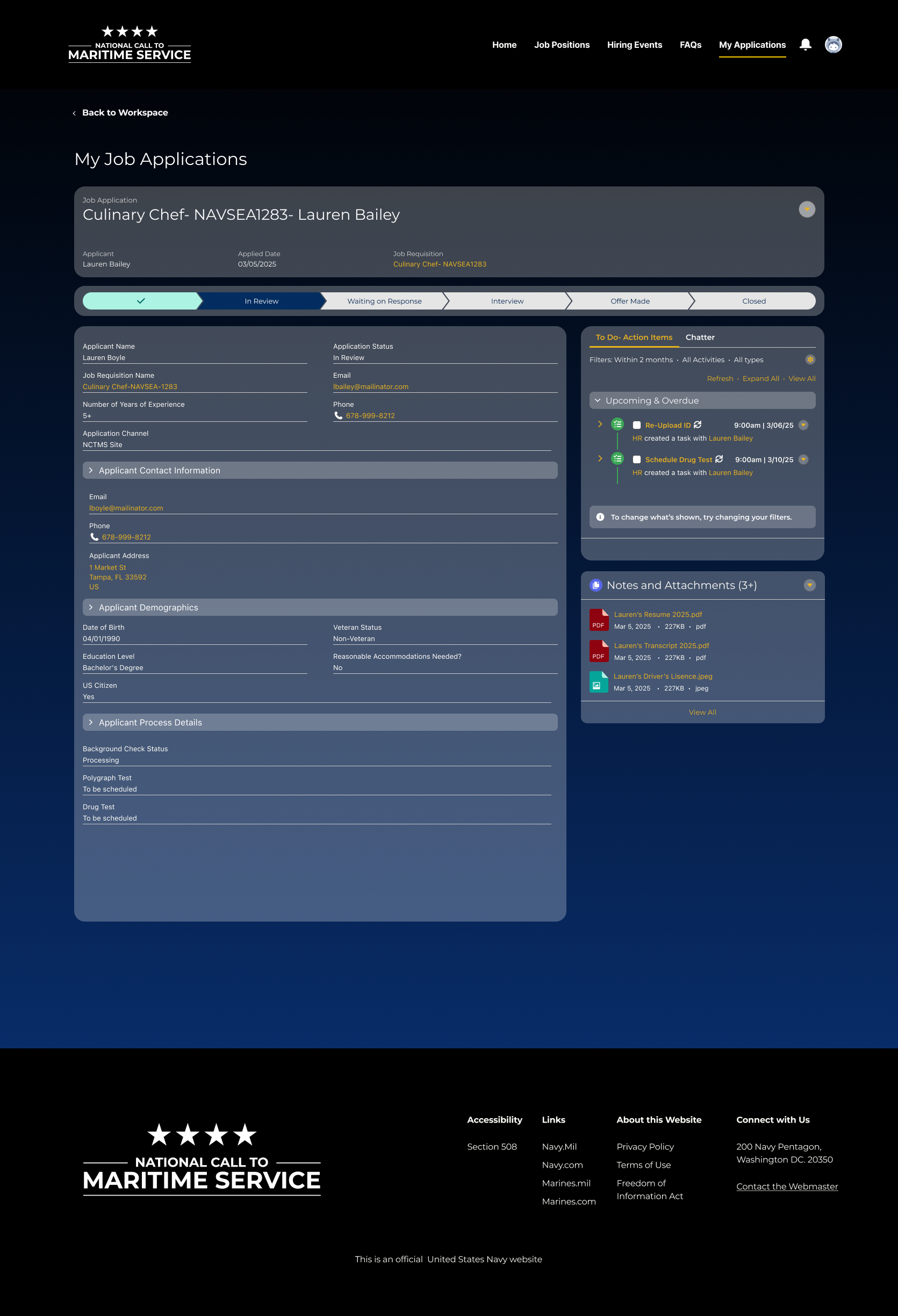

When it comes to measuring the success of the new tools that were designed and developed for the civilian recruiting experience, these metrics were decided to be observed as the tool is put in place: